
🔒 How to Reset Your Password at JDPLUS
Leave Comment/ By E /May 15, 2025
🟡 Step-by-Step Guide to Resetting Your Password
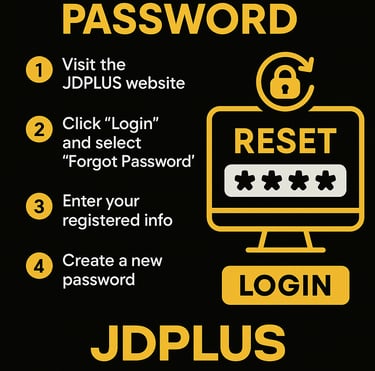
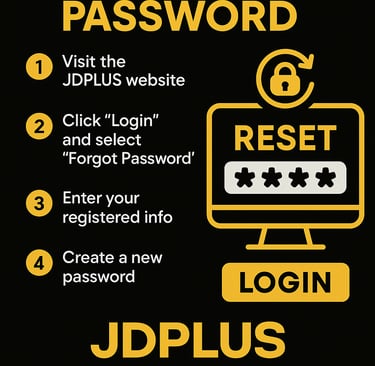
🔹 Step 1: Visit the Official JDPLUS Website
Head over to JDPLUS using a secure browser. Always ensure you're on the official site to protect your account from phishing or fraudulent access.
🔹 Step 2: Click “Login” and Select “Forgot Password”
From the homepage, click the “Login” button. Then, just below the login fields, click on “Forgot Password?” to initiate the reset process.
🔹 Step 3: Enter Your Registered Info
You’ll be asked to enter your registered mobile number or username. This allows the system to verify and locate your account securely.
🔹 Step 4: Receive a Verification Code
A one-time verification code will be sent via SMS or email. Enter the code on the next screen to confirm your identity.
🔹 Step 5: Create a New Password
Once verified, you’ll be prompted to create a new password. Choose something strong, unique, and memorable—using a combination of letters, numbers, and symbols for better protection.
🔹 Step 6: Log In with Your New Password
After resetting, return to the login page and access your JDPLUS account using your new credentials. You're all set!
🛡️ Pro Tips for Better Account Security
✅ Use a strong, original password that’s hard to guess
✅ Change your password regularly for added protection
✅ Never share your login details with anyone
✅ Always log out after playing, especially on shared devices
💬 Still Need Help?
If you're facing issues with the reset process, the JDPLUS support team is available 24/7 via live chat, email, or hotline. Our agents are always ready to assist you quickly and securely.
✅ Reset with Confidence
At JDPLUS, we prioritize your safety and account access. With just a few simple steps, you can reset your password and resume your gaming experience—stress-free and fully protected.
Get in touch
Let's Talk
info@jdpluscasino.com


ALL RIGHTS RESERVED 2025