
🔑 Forgot Your Password? Here’s How to Recover Your JDPLUS Account
Leave Comment/ By D /May 15, 2025
🔄 Step-by-Step: How to Reset Your JDPLUS Password
🟡 Step 1: Go to the JDPLUS Login Page
Navigate to the official site — JDPLUS — and click the “Login” button on the homepage.
🟡 Step 2: Click on “Forgot Password”
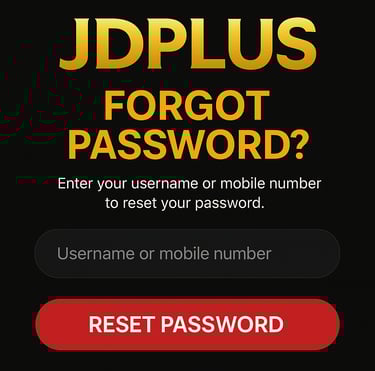
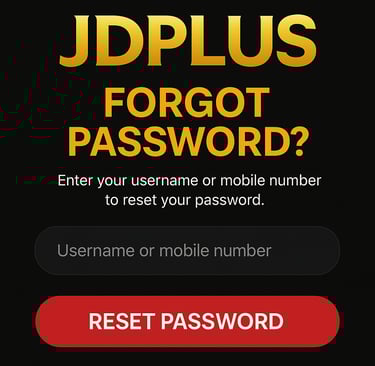
Below the login form, you’ll find a “Forgot Password?” link. Click it to begin the password reset process.
🟡 Step 3: Enter Your Registered Mobile Number or Username
Provide the mobile number or username linked to your JDPLUS account. This will help us locate your profile securely.
🟡 Step 4: Follow the Verification Instructions
You will receive a verification code via SMS or email. Enter the code on the website to verify your identity.
🟡 Step 5: Create a New Password
Once verified, you’ll be prompted to set a new password. Choose a strong, secure password you haven’t used before, then confirm it.
🟡 Step 6: Login with Your New Password
Return to the login page and enter your new credentials to access your account. You’re now back in—and ready to win!
🛡️ Security Tips When Resetting Your Password
✅ Choose a strong password with numbers, symbols, and both upper/lowercase letters
✅ Avoid using birthdays or easily guessable information
✅ Do not share your reset link or code with anyone
✅ Always log in from the official JDPLUS site
💬 Need Additional Help?
If you're having trouble resetting your password, don’t hesitate to reach out. JDPLUS offers 24/7 customer support via live chat, email, or phone to ensure your issue is resolved quickly and professionally.
🔁 Back to the Game, Safely
At JDPLUS, your security and convenience come first. With our simple password recovery system, you can always regain access—so you never miss a chance to play, win, and enjoy.
Get in touch
Let's Talk
info@jdpluscasino.com


ALL RIGHTS RESERVED 2025